
Quick Answer
A QR code is a standardized two-dimensional matrix barcode invented by DENSO WAVE in 1994. It stores data in black and white modules, adds Reed–Solomon error-correction codewords, applies a mask to improve readability, and is decoded from a camera image by locating its three finder patterns, correcting perspective, sampling the module grid, reversing the mask, and repairing recoverable errors. QR became an international ISO standard in 2000; phone-camera support arrived through software, not a special camera standard, and became mainstream in stages.
QR codes have become an everyday bridge between physical objects and digital information. A square printed on a package can open a product manual, start a payment, join a Wi-Fi network, issue a boarding pass, identify a component, or ask a remote service whether a specific product record is valid. That apparent simplicity hides a carefully engineered system of geometry, binary encoding, polynomial error correction, masking, image processing, network behavior, and operational security.
This guide follows the technology from its automotive origins in 1994 to the current ISO/IEC 18004:2024 specification. It explains what every visible pattern does, how text becomes modules, how a camera reconstructs data from an angled or partially damaged image, when phones began supporting QR scanning, how QR differs from other two-dimensional symbols, and what businesses must add before a QR code can become part of a serious product verification system.
QR code facts at a glance
| Property | Technical answer |
|---|---|
| Invented | 1994, by Masahiro Hara and a DENSO development team in Japan |
| Original purpose | Faster, higher-capacity tracking of automotive parts and production processes |
| Current core standard | ISO/IEC 18004:2024, QR code bar code symbology specification |
| Standard Model 2 versions | 1 through 40 |
| Symbol dimensions | 21 × 21 modules at Version 1, increasing by four modules per side to 177 × 177 at Version 40 |
| Error-correction levels | L, M, Q and H; approximately 7%, 15%, 25% and 30% codeword restoration |
| Maximum published capacity | 7,089 numeric; 4,296 alphanumeric; 2,953 bytes; or 1,817 Kanji characters |
| Required quiet zone | Four modules on all four sides for standard QR Code |
| Native camera support | A software capability, not a camera-hardware standard; adoption occurred in stages |
| Security | The symbol is not inherently secure; protection depends on the identity and verification system behind it |
1. What exactly is a QR code?
QR stands for Quick Response. A QR code is a two-dimensional matrix barcode: information is represented by an ordered grid of light and dark square elements called modules. Unlike a conventional retail barcode, which carries data mainly along one horizontal axis, a matrix code uses both width and height. That is why a compact square can hold substantially more information and why its internal design must help a reader determine orientation, scale, perspective and sampling positions.
The phrase “QR code” is often used loosely for any square barcode, but it refers to a particular symbology. Data Matrix, Aztec Code, PDF417 and MaxiCode are different standards with different geometries, capacity rules and typical applications. A scanner may support several of them, but recognizing one does not automatically mean it can decode all the others.
A QR symbol has two conceptual layers:
- The carrier layer defines modules, finder patterns, alignment patterns, timing, format information, data codewords, error-correction codewords and masking.
- The application layer decides what those recovered bytes mean: a URL, text, contact record, Wi-Fi credentials, a payment payload, a GS1 Digital Link, or a unique product identifier.
Keeping those layers separate is essential. ISO/IEC 18004 explains how to encode and decode the symbol. It does not, by itself, make a URL trustworthy, a payment legitimate, or a product authentic.
2. Before QR: why one-dimensional barcodes were not enough
By the late twentieth century, factories were already using one-dimensional barcodes to identify parts. Those symbols were effective but constrained. They carried relatively little information, often required a scanner to cross the bars at a usable angle, and forced operators to scan several labels when a process needed multiple fields. As production became more varied, the cost of repeated scans and limited payloads became an operational problem.
DENSO, then part of the Toyota group, needed a code that could be located rapidly from different orientations, store far more data, and survive the grime and damage of industrial environments. Masahiro Hara and his team studied the visual frequency of printed material to find a pattern unlikely to be confused with surrounding text or graphics. The result was the distinctive finder pattern whose dark-to-light run ratio is 1:1:3:1:1.
The new code was released in 1994. DENSO WAVE later chose to make the specification available for broad use while retaining the registered trademark, a decision that encouraged adoption across industries rather than locking the symbology inside one automotive supply chain. The official DENSO QR Code history records both the industrial origin and the later public expansion.
3. A concise history and standards timeline
| Year | Milestone | Why it matters |
|---|---|---|
| 1994 | DENSO development team releases QR Code | Establishes a fast, high-capacity matrix code for automotive production and parts tracking |
| 1997 | Adopted as AIM International standard ITS 97-001 | Gives the symbology an industry specification beyond its creator |
| 1998 | Adopted as JEIDA standard JEIDA-55 | Expands formal recognition in Japan’s electronic industries |
| 1999 | Adopted as Japanese Industrial Standard JIS X 0510 | Places QR Code within Japan’s national standards framework |
| June 2000 | Published as ISO/IEC 18004 | Makes QR Code an international standard and supports global interoperability |
| 2002 | Phones with built-in QR readers accelerate public use in Japan | Moves QR from factories into consumer media, advertising and mobile services |
| 2017 | Apple demonstrates native Camera recognition in iOS 11 | Marks a major step toward app-free QR scanning on iPhone |
| 2022 | ISO/IEC 23941 standardizes rectangular Micro QR, or rMQR | Adds a narrow rectangular option for spaces poorly suited to square symbols |
| 2024 | ISO/IEC 18004:2024 Edition 4 is published | Becomes the current general QR Code symbology specification |
The formal sequence is documented by DENSO’s standardization page. The current ISO catalogue identifies ISO/IEC 18004:2024 as Edition 4, published in August 2024. When a procurement document simply says “ISO QR code,” it should identify the applicable edition and the intended symbol family rather than assuming every square code or reader behaves identically.
4. Who owns QR Code, and is it free to use?
“QR Code” is a registered trademark of DENSO WAVE Incorporated. DENSO states that it does not exercise the patent rights for standardized QR Codes, which helped make the technology widely deployable. That does not mean every QR-related service, generator, analytics platform, payment scheme, font, logo or implementation is free of separate licensing or contractual conditions. It means the standardized symbology itself was intentionally made broadly usable.
Organizations should also distinguish between creating a standards-conforming symbol and using a third-party platform. The first concerns technical encoding. The second may involve hosting, redirects, analytics, data protection, service continuity and commercial terms.
5. The anatomy of a QR code
To understand how scanning works, begin with the regions that are not payload data.
Finder patterns
Three large square targets occupy the upper-left, upper-right and lower-left corners. Their nested dark and light structure lets a detector find likely QR candidates, estimate orientation and identify three corners even when the symbol is rotated. Because one corner deliberately lacks a finder pattern, the decoder can tell which way the grid is oriented rather than treating all four rotations as equivalent.
Separators
A one-module-wide light border surrounds each finder pattern. Separators keep the finder targets visually distinct from adjacent data modules and reduce ambiguity during localization.
Timing patterns
Alternating dark and light modules run horizontally and vertically between finder patterns. Once the symbol is localized, these sequences help establish the module pitch and the coordinates of the grid. A decoder can use their transitions to estimate where module centers should lie.
Alignment patterns
From Version 2 upward, smaller target patterns appear at specified grid coordinates. They help correct local distortion, especially in larger symbols or images captured from curved, skewed or imperfectly flat surfaces. Higher versions use more alignment patterns because a single global perspective transform is less able to model distortion across a large grid.
Format information
Format information is repeated near the finder patterns. It encodes the selected error-correction level and one of eight mask-pattern identifiers, protected by its own error-correcting structure. The decoder needs this information before it can unmask and reconstruct the payload.
Version information
Versions 7 through 40 include explicit version-information areas. Lower versions can be inferred directly from the measured grid size. The version data is repeated and protected so that a decoder can cross-check the apparent dimensions.
Data and error-correction modules
The remaining eligible modules hold interleaved data codewords and Reed–Solomon error-correction codewords. They are not laid down as a simple left-to-right line. The placement path moves in two-column vertical stripes, generally from the lower-right, weaving upward and downward while skipping function patterns and reserved areas.
Quiet zone
The empty margin around the symbol is part of the scanning design even though it contains no codewords. Standard QR Code requires a clear quiet zone four modules wide on every side. Text, borders, decorative marks or adjacent graphics inside this zone can prevent a detector from separating the symbol from its background. DENSO’s QR implementation guidance explicitly describes the four-module requirement.
6. Versions, dimensions and symbol growth
Standard QR Code Model 2 defines 40 versions. Version 1 is a 21 × 21 module grid. Each higher version adds four modules to both width and height. The dimension formula is therefore:
modules per side = 21 + 4 × (version − 1)
Equivalently, it is 17 + 4 × version. Version 40 reaches 177 × 177 modules before adding the quiet zone.
| Version | Modules per side | Modules including a four-module quiet zone | Typical implication |
|---|---|---|---|
| 1 | 21 | 29 | Short payloads and physically small symbols |
| 2 | 25 | 33 | Adds an alignment pattern and more payload space |
| 5 | 37 | 45 | Moderate URLs or structured identifiers |
| 10 | 57 | 65 | Denser symbol requiring more print and camera resolution |
| 20 | 97 | 105 | Large data capacity but less forgiving at small physical sizes |
| 30 | 137 | 145 | Specialized high-capacity use, rarely ideal for consumer packaging |
| 40 | 177 | 185 | Maximum Model 2 version and highest nominal capacity |
More capacity is not automatically better. If two symbols are printed at the same physical width, the higher-version symbol has smaller modules. Smaller modules demand sharper printing, better focus, more camera pixels and stricter control of glare and motion. Good implementation normally minimizes the encoded payload—often by using a compact, stable HTTPS identifier—rather than choosing a high version because it looks more sophisticated.
7. Data modes and capacity
QR encoders can represent data in several modes. The selected mode affects how efficiently characters are packed into bits.
- Numeric mode packs decimal digits efficiently, grouping three digits into ten bits where possible.
- Alphanumeric mode supports digits, uppercase A–Z, space and a defined set of symbols. Pairs are encoded using values in a 45-character table.
- Byte mode represents general byte data and is commonly used for URLs and UTF-8 content, subject to character-encoding conventions.
- Kanji mode efficiently encodes eligible double-byte characters derived from Shift JIS ranges.
- ECI, FNC1 and Structured Append provide additional interpretation and workflow controls for compatible applications.
The frequently quoted maximum capacities apply to Version 40 at error-correction level L and to ideal use of a single efficient mode. They are not universal payload promises.
| Data mode | Maximum published capacity | Important qualification |
|---|---|---|
| Numeric | 7,089 characters | Digits only and lowest error-correction overhead |
| Alphanumeric | 4,296 characters | Limited 45-character set, not arbitrary mixed-case text |
| Byte | 2,953 bytes | Bytes are not always equal to displayed characters in multibyte encodings |
| Kanji | 1,817 characters | Applies to the defined Kanji encoding range |
DENSO’s version and capacity reference provides the official capacity tables. Real encoders also spend bits on a mode indicator, character count, terminator, padding and sometimes mode switches. Increasing error correction consumes additional codewords and reduces payload capacity.
8. How information is encoded into a QR code
A standards-compliant encoder performs a deterministic chain of operations. Simplified generators that merely draw random-looking squares are not producing QR codes.
Step 1: analyze and segment the input
The encoder examines the input and chooses one or more modes. A string containing a long numeric run followed by lowercase text may be smaller when segmented into numeric and byte regions than when encoded entirely in byte mode. Sophisticated encoders optimize this segmentation; simple libraries may select one mode for the whole payload.
Step 2: write mode and character-count indicators
Each segment begins with a mode indicator. A version-dependent character-count field follows. Because the count-field width changes across version ranges, the encoder must know or iteratively determine a version that can contain the resulting stream.
Step 3: convert the characters to data bits
Characters are transformed according to their mode. Numeric groups, alphanumeric pairs, bytes or Kanji values become a bit sequence. The encoder appends segments until the input is represented.
Step 4: terminate and pad the data
A terminator is added if space permits. The bit length is padded to a byte boundary, and alternating pad codewords are inserted until the data capacity for the selected version and error-correction level is filled. This produces the exact number of data codewords required by the symbol configuration.
Step 5: split data into blocks and generate error correction
The specification divides the data into one or more blocks. Reed–Solomon parity codewords are calculated for each block over a finite field. Block structures vary by version and error-correction level, which is why capacity cannot be inferred only from the number of visible modules.
Step 6: interleave codewords
Data codewords from the blocks are interleaved, followed by interleaved error-correction codewords. Interleaving spreads locally damaged information across blocks. A scratch that destroys one continuous visual region is therefore less likely to erase too many adjacent codewords from the same correction block.
Step 7: place bits into the module matrix
Function patterns and reserved areas are placed first. Payload bits then follow the specified zigzag placement path through unreserved modules. Any remainder bits defined for that version are added after the final codeword bits.
Step 8: evaluate the eight masks
The encoder applies each of eight mathematical mask patterns to the data modules, not to the fixed function patterns. Every candidate is scored for undesirable visual structures such as long same-color runs, large same-color blocks, misleading finder-like ratios and an imbalanced dark-module percentage. The lowest-penalty mask is selected.
Step 9: write format and version information
The final error-correction level and mask identifier are written into the format areas. Version information is added where required. The matrix can then be rendered at a chosen module size with its full quiet zone.
9. Why masking matters
Unmasked payload bits can accidentally create areas that are hard for image processing: long dark lines, large solid blocks, near-finder patterns or extreme light/dark imbalance. Masking XORs eligible modules with one of eight regular binary patterns. Because the selected mask number is stored in the format information, the decoder can reverse the operation exactly.
Masking is not encryption. Anyone with a QR decoder can recover the payload. Its purpose is optical robustness and pattern quality, not secrecy. Calling a masked QR code “encrypted” is technically incorrect.
10. Reed–Solomon error correction, without the myth
QR Code uses Reed–Solomon codes, a family of error-correcting codes that operate on codewords rather than individual visible squares. The encoder treats data as symbols in a finite field and calculates parity values from a generator polynomial. During decoding, non-zero syndromes reveal inconsistency. Mathematical error-locator and error-evaluator procedures can identify and reconstruct a limited number of damaged codewords.
| Level | Approximate restoration capability | Capacity trade-off | Common planning use |
|---|---|---|---|
| L | 7% of codewords | Highest payload capacity | Controlled, clean environments |
| M | 15% of codewords | Balanced capacity and resilience | General business and consumer use |
| Q | 25% of codewords | Lower payload capacity | Dirt, handling or moderate obstruction risk |
| H | 30% of codewords | Lowest payload capacity | Harsh use or carefully tested central artwork |
These values, documented in DENSO’s error-correction explanation, are approximate codeword restoration levels. They do not mean a designer may place a logo over exactly 30% of a Level H symbol and expect universal success. Damage distribution, block boundaries, function-pattern obstruction, blur, glare and the reader’s implementation all matter. Covering a finder or timing pattern can defeat localization before error correction even begins.
Higher correction can improve resilience, but it also increases symbol density for a fixed payload. At a fixed printed size, that produces smaller modules, which can itself reduce scan reliability. The right level must be verified on the actual material, printer, size, lighting and target devices.
11. How a phone camera decodes a QR code
A camera does not “see the URL.” It captures a pixel array, and software reconstructs a logical grid from that imperfect image.
- Acquire a frame. The camera system controls exposure, focus, sensor gain, frame resolution and sometimes stabilization.
- Create a luminance representation. Many decoders work primarily with brightness rather than full color.
- Binarize or classify regions. Adaptive thresholding helps separate dark and light areas under uneven illumination.
- Search for finder-pattern ratios. Candidate horizontal and vertical run sequences are tested for the characteristic 1:1:3:1:1 relationship.
- Confirm geometry. Three finder centers establish orientation, approximate scale and a candidate quadrilateral.
- Estimate version and module grid. Timing transitions, distances and version information help determine the expected dimensions.
- Correct perspective and distortion. A projective transform maps the photographed quadrilateral toward a square grid; alignment patterns refine the mapping for larger symbols.
- Sample module centers. The decoder decides whether each logical module is dark or light. Sampling near centers reduces sensitivity to boundaries.
- Read format and version information. The software determines correction level, mask and version, using protected duplicate fields where available.
- Unmask and traverse the payload. The selected mask is reversed and bits are read in the standard placement order.
- Deinterleave and correct errors. Reed–Solomon processing reconstructs recoverable codewords and validates the stream.
- Parse data segments. Mode indicators and counts turn the bitstream into digits, characters, bytes or structured application data.
- Apply a safe action. The operating system or app may display text, preview a URL, request confirmation, connect to Wi-Fi or pass an identifier to a verification service.
This pipeline explains why two phones can behave differently when aimed at the same print. They may use different lenses, autofocus behavior, exposure strategies, image resolution, thresholding, localization algorithms and URL-handling policies.
12. When did phone cameras begin supporting QR codes?
There is no single year in which “cameras became QR-standard.” A camera sensor only produces an image. QR support arrives when operating-system or application software can recognize and decode the standardized symbol, then decide what action to take.
| Period | What changed | Accurate interpretation |
|---|---|---|
| 1990s | Industrial imagers and dedicated scanners read QR Code | QR began as an industrial automatic-identification technology, not a consumer camera feature |
| 2002 onward | DENSO records rapid public expansion in Japan as mobile phones with QR readers appeared | Early camera-phone adoption was market- and handset-specific |
| Smartphone app era | Downloadable scanner apps brought decoding to many camera phones | The camera hardware was reused; support depended on installed software |
| 2017 / iOS 11 | Apple introduced QR recognition through the iPhone Camera experience | iPhone users could scan common QR content without installing a separate reader app |
| Modern Android | Manufacturer camera apps, Google Lens and app libraries provide overlapping support | There is no single Android-wide launch date because devices and software distributions vary |
| Current app development | Google ML Kit and Google Code Scanner expose supported QR decoding to Android applications | Developers can choose custom camera UI or a permission-conscious scanner flow |
Apple’s official QR Code Recognition on iOS 11 technical talk documents Camera integration. Apple’s current iPhone QR scanning guide explains the Camera and Code Scanner flows. On Android, Google’s current ML Kit barcode-scanning documentation supports QR decoding in applications, while Google Code Scanner provides a delegated scanning experience.
The practical conclusion is important for packaging: do not write “works with every camera.” Define a supported device and software population, test representative low- and high-end phones, and provide a readable fallback URL or support path.
13. The optics of reliable scanning
The module is the smallest meaningful visual unit. A scanner needs enough sensor pixels across each module to distinguish its state after blur, perspective and resampling. Google’s ML Kit guidance says the smallest meaningful barcode unit should generally be at least two pixels wide and tall in the input image. Real-world packaging normally benefits from a larger margin because autofocus errors, motion blur, compression and glare erode the usable signal.
Several variables interact:
- Physical module size: symbol width divided by modules, excluding or including the quiet zone consistently.
- Viewing distance: greater distance makes each module occupy fewer image pixels.
- Focal length and sensor resolution: determine how many pixels represent the symbol.
- Focus and motion: blur mixes adjacent light and dark modules.
- Perspective: oblique viewing compresses modules along one axis.
- Surface curvature: bottles and flexible pouches create non-projective distortion.
- Specular reflection: glossy varnish can turn dark modules bright or hide light modules.
- Print growth: ink spread can close light gaps; toner dropout can break dark modules.
- Color contrast: visual brand colors may have insufficient luminance difference even if they look distinct to a person.
A worked sizing example
Suppose a Version 5 symbol contains 37 modules per side. Adding four quiet modules on each side makes a 45-module total footprint. If each module is printed at 0.5 mm, the complete reserved square is 22.5 mm × 22.5 mm. If artwork allocates only 18.5 mm, it may fit the 37-module data symbol but remove the required quiet zone. That is a common production error because design tools often report the visible black grid rather than the protected surrounding area.
There is no universally safe minimum physical QR size independent of payload, printer, substrate, distance and scanner. A 10 mm symbol with a short Version 1 payload may outperform a 25 mm symbol forced into a much denser version by a long tracking URL.
14. Print and display quality standards
Conformance is more than “my phone scanned it once.” Formal verification evaluates properties that correlate with reading reliability across equipment and conditions.
ISO/IEC 15415:2024 specifies print-quality test and grading procedures for two-dimensional symbols. Relevant measurements can include symbol contrast, modulation, fixed-pattern damage, axial nonuniformity, grid nonuniformity, unused error correction and decode performance. The overall grade is constrained by the weakest important parameter, so a symbol with excellent contrast may still fail because of geometric distortion or damaged function patterns.
ISO/IEC 16480:2015 addresses reading and display quality for mobile phones with two-dimensional symbols. That matters when a code is presented on a screen rather than printed. Screen brightness, pixel structure, scaling, refresh behavior, glare and moiré can produce failure modes different from ink on paper.
For production work:
- Generate the symbol as vector artwork or a lossless raster at an integer module scale.
- Disable interpolation that creates gray or blurred module edges.
- Preserve the quiet zone through design, imposition, trimming and packaging conversion.
- Verify after the final print process—not only from a proof PDF.
- Grade samples from different positions in the print run.
- Test curved, filled, chilled, wet or shrink-wrapped products in their actual condition.
- Retest whenever the payload, correction level, printer, material, varnish or physical size changes.
15. Color, logos and visual customization
QR codes do not have to be black on white, but dark modules must remain distinguishable from the light background after conversion to luminance. A pale brand color on white may look elegant and scan poorly. Reversed symbols—light modules on a dark field—are supported by some readers but should not be assumed universal without validation.
Gradients, transparent backgrounds, rounded modules and embedded logos all consume tolerance. A logo should avoid finder, timing, alignment, format and version areas. Even when a high error-correction level is selected, the modified symbol must be tested against the intended reader population. Decorative frames also need to remain outside the quiet zone unless a verified design specification says otherwise.
The safest customization hierarchy is:
- preserve geometry and quiet zone;
- maintain strong luminance contrast;
- use a compact payload to keep modules large;
- add modest styling;
- verify with measurement equipment and real devices;
- reject any visual treatment that reduces operational reliability.
16. QR Code families and related variants
The QR ecosystem includes several related forms, each designed for a different spatial or capacity constraint. DENSO’s official QR Code types overview is a useful starting point.
QR Code Model 1 and Model 2
Model 1 was the original form. Model 2 extended the design, added alignment capabilities and became the familiar form represented in the international standard. Most general references to standard QR Code mean Model 2.
Micro QR Code
Micro QR reduces overhead for very small payloads and uses a single finder pattern. Its smaller footprint can suit components and compact labels, but its capacity and reader support differ from standard QR.
rMQR
Rectangular Micro QR is designed for narrow rectangular spaces. It is standardized separately as ISO/IEC 23941:2022. It should not be treated as merely a stretched square QR image; arbitrary stretching destroys the geometry of a standard QR symbol.
FrameQR and SQRC
DENSO describes specialized variants including FrameQR, which reserves a central canvas area, and SQRC, which combines public and private data regions for compatible readers. These are not interchangeable with ordinary Model 2 support and may require specific generation and scanning systems.
Other 2D codes
Data Matrix is common on small industrial and regulated items; Aztec is familiar in transport ticketing; PDF417 is stacked rather than a square matrix and can hold substantial data. Selection should follow the required standard, payload, available marking area, reader infrastructure and regulatory environment—not the visual popularity of one symbol.
17. Static QR codes versus dynamic QR systems
A static QR code directly contains its final content. If it contains https://example.com/manual-v1, that exact string remains in every printed copy. Updating the destination requires the server to keep that path working or the organization to replace the physical code.
A dynamic QR implementation normally places a stable resolver URL or identifier in the symbol. The server decides what to show when the scan occurs. The printed modules do not magically change; the response behind the identifier changes. This architecture enables destination updates, localization, access rules, campaign measurement, product-status changes and scan analytics.
Dynamic infrastructure creates obligations as well as benefits:
- the domain must remain under organizational control;
- redirects should be limited, fast and HTTPS-protected;
- identifiers should resist trivial enumeration where records are sensitive;
- analytics must have a lawful privacy basis;
- expired or decommissioned codes need a deliberate lifecycle response;
- outages and vendor failure need contingency planning;
- visible branding and domain consistency should help users recognize the destination.
A short first-party domain often improves both trust and scanability because it reduces payload length, which may permit a lower QR version and larger modules at the same printed size.
18. Common QR code applications
QR Code’s strength is not one specific use but a standardized, low-cost bridge between physical context and digital data.
Manufacturing and maintenance
Parts, work orders, tools and service locations can carry identifiers linked to traceability, assembly instructions or maintenance records. Industrial implementations value fast orientation detection, damage tolerance and machine-readable linkage more than consumer-facing visual design.
Logistics and inventory
Cartons, pallets and return labels use 2D symbols to connect shipments with enterprise records. Data structure and interoperability matter: a proprietary text payload may scan but still fail to integrate with receiving systems.
Marketing and publishing
Posters, packaging and print media use QR links to bridge a space-constrained surface to detailed web content. Campaign codes should use durable destinations, meaningful landing pages and measurement that respects consent.
Tickets, travel and access
QR and other 2D codes carry ticket identifiers, signed tokens or reservation data. In higher-security systems the visible code may be only one input to a backend validity check, time window, device binding or anti-replay policy.
Contact, Wi-Fi and device setup
Structured payloads can represent contact cards, wireless network credentials and configuration values. Because scanners may offer immediate actions, users should confirm the displayed network, recipient or destination before proceeding.
Healthcare and public information
Codes can link to instructions, patient-facing material or regulated identifiers. Accessibility, long-term link governance, privacy and fallback text become especially important where a failed scan could affect safety.
Product authentication and brand protection
Unique identifiers can connect individual product units, batches or labels to authoritative records. The QR symbol provides inexpensive optical access; the backend determines whether the identity is valid, expired, already overused, geographically unexpected or otherwise suspicious. This is the operating model behind a modern product authentication solution.
19. QR codes in payments
Payment QR codes may be merchant-presented or consumer-presented. A payload can contain an account proxy, merchant data, transaction fields or a token understood by a payment network. The scanner or wallet parses the content, displays critical details and asks the payer to authorize the transaction.
EMVCo publishes specifications for interoperable QR payment scenarios; its QR Codes overview distinguishes the standardized payment use from an arbitrary URL printed in a square. A QR symbol does not itself prove the payee’s identity. A secure payment experience must show the merchant and amount clearly, protect transaction integrity, apply wallet and network controls, and resist replacement stickers that redirect money to an attacker.
Businesses should never assume that “scannable” means “safe to pay.” The trusted payment application and verification steps are the security boundary.
20. GS1 Digital Link and the future of retail barcodes
The GS1 Digital Link standard expresses GS1 identifiers—such as product and location identities—in a web-compatible syntax. A single scannable carrier can connect a product identity to multiple digital resources selected by context, language or application. This creates a path from traditional identification toward richer product information, traceability, instructions, recall messages and consumer engagement.
The code carrier and the data model must still be distinguished. A QR code may carry a GS1 Digital Link URI, but an arbitrary QR URL is not automatically GS1-compliant. Conversely, GS1 data can be represented in supported carriers selected for a particular supply-chain use.
For brands planning long-lived packaging, resolver governance is as important as symbol generation. A durable product identity should not disappear because a campaign agency closes or a short-link subscription expires.
21. Security risks: quishing, replacement and copied codes
QR-based phishing is often called quishing. The visual symbol hides its content from unaided human reading, so an attacker can lead a user to a credential-harvesting page, malicious download, fraudulent payment destination or unwanted network action. Physical codes can also be covered with replacement stickers in public spaces.
Practical defenses include:
- previewing and checking the destination domain before opening it;
- using HTTPS and a recognizable first-party domain;
- avoiding sensitive credential entry after an unexpected scan;
- treating urgent payment or account warnings with suspicion;
- protecting printed codes against sticker replacement where the environment is uncontrolled;
- monitoring destination domains and certificates;
- using short, stable URLs without opaque redirect chains;
- training staff to inspect point-of-sale, parking and payment signage;
- validating signed or server-side tokens when the application requires authenticity.
The browser safety model still applies after a scan. QR does not bypass the need for authentication, authorization, content security, fraud monitoring or user confirmation.
22. Why an ordinary QR code is not anti-counterfeit
A static QR printed identically on every package can be photographed and reproduced. Even a unique code can be copied from one genuine item and placed on several fakes. Error correction improves readability; masking improves optical properties; neither prevents duplication.
A credible anti-counterfeit workflow therefore combines layers:
- Unique identity: assign a non-repeating identifier at the appropriate unit, batch, label or campaign level.
- Authoritative validation: check the identifier against a controlled backend rather than trusting the printed text alone.
- Lifecycle state: record activation, market, expiry, recall or invalidation status.
- Scan intelligence: compare time, repetition, location signals and expected distribution behavior.
- Clear consumer result: explain authentic, suspicious, expired and invalid outcomes without overclaiming certainty.
- Investigation tools: retain useful evidence so a brand can distinguish normal rescanning from copied-code clusters.
- Physical reinforcement: add tamper evidence or contactless security for high-risk products where printed QR alone is insufficient.
This layered model is why TrustQR describes QR as the access point to verification, not as an uncopyable object. Brands can explore the full anti-counterfeit system, review platform features, or follow the end-to-end QR product verification workflow.
23. How TrustQR turns a QR scan into a product decision
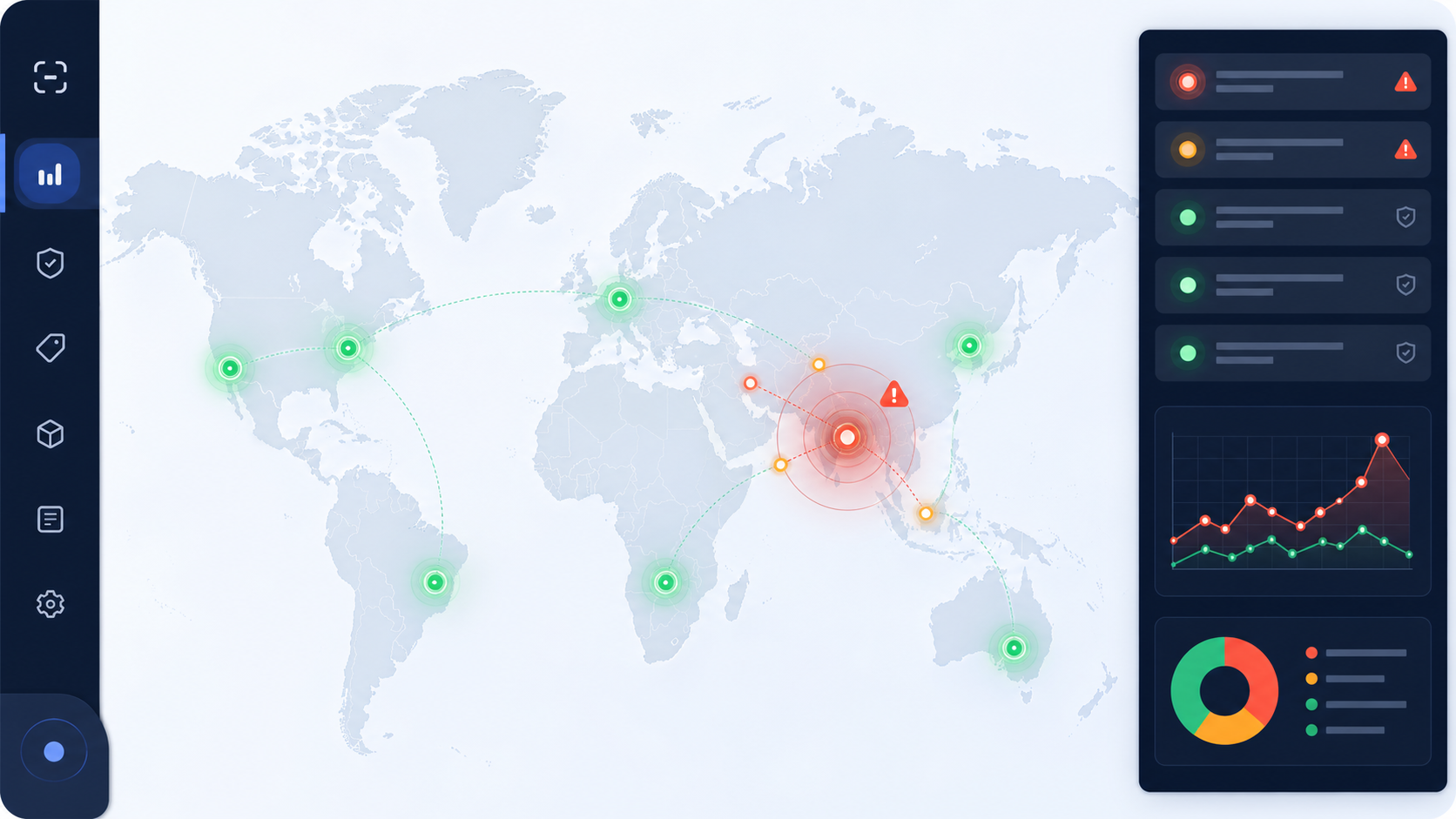
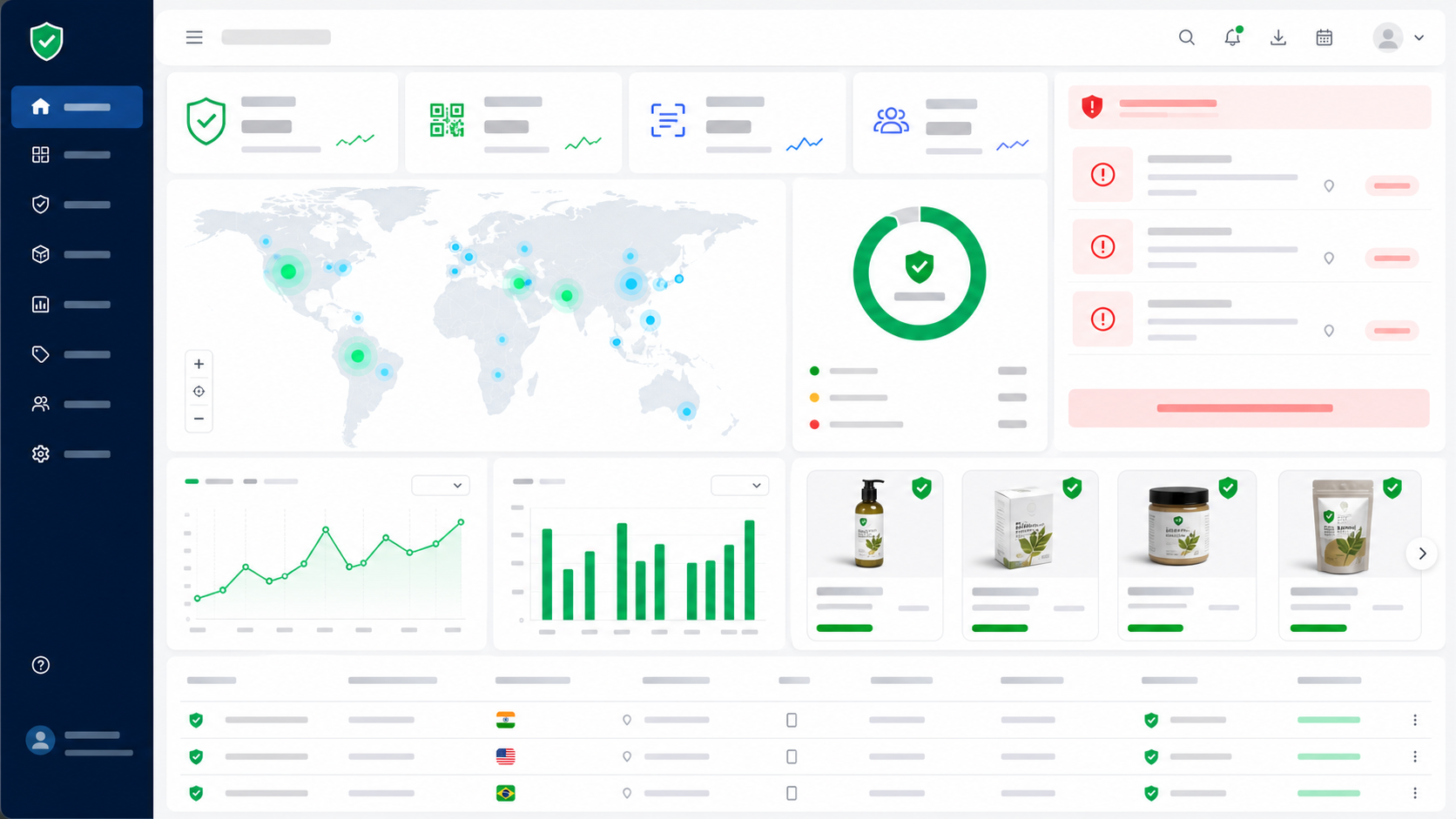
The following TrustQR product images show how the general QR standard becomes a specific product-verification experience. The screens and dashboard sit above the symbology layer described earlier: the camera decodes an identifier, then TrustQR evaluates the corresponding product record and scan signals.
A customer-friendly scan path
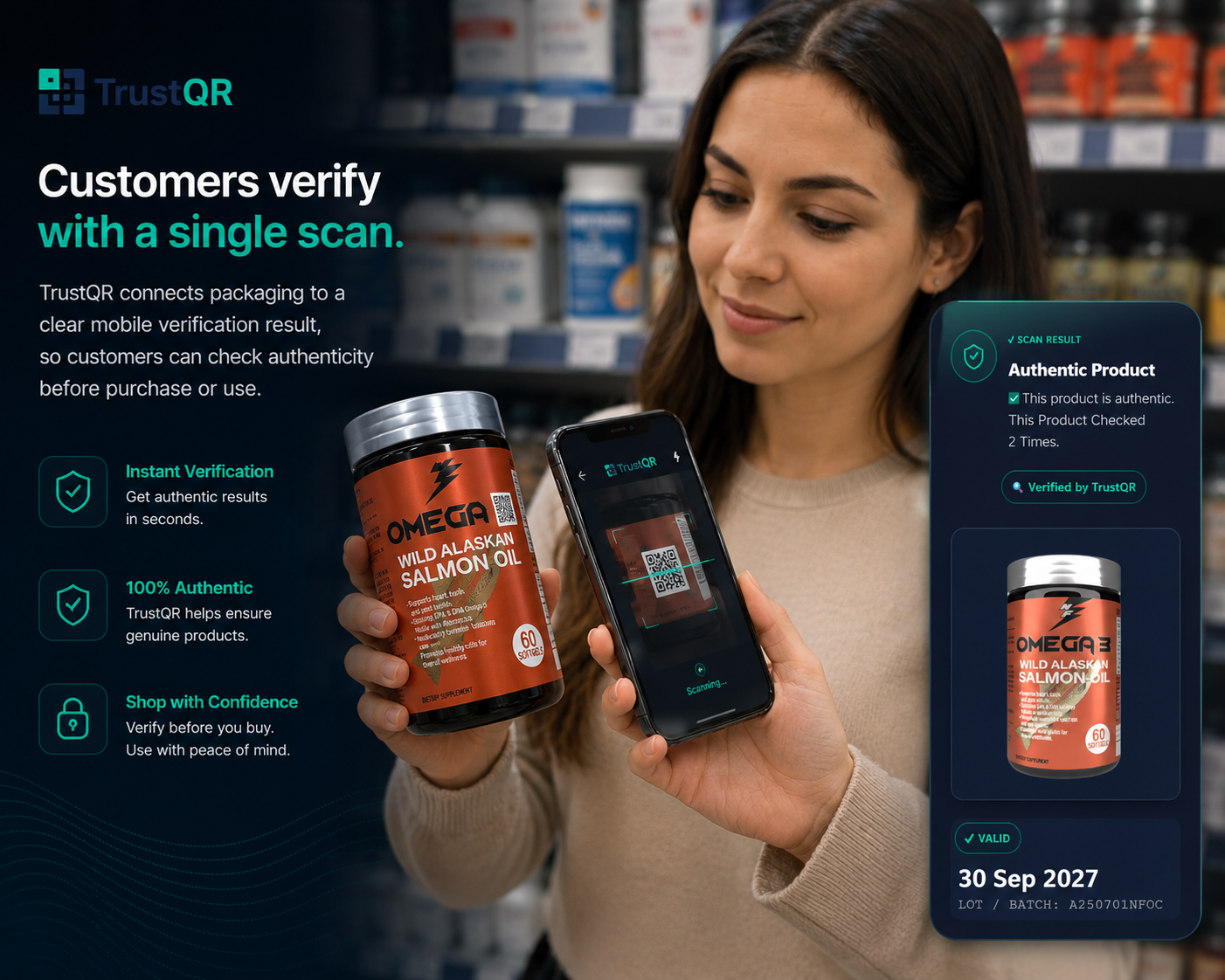
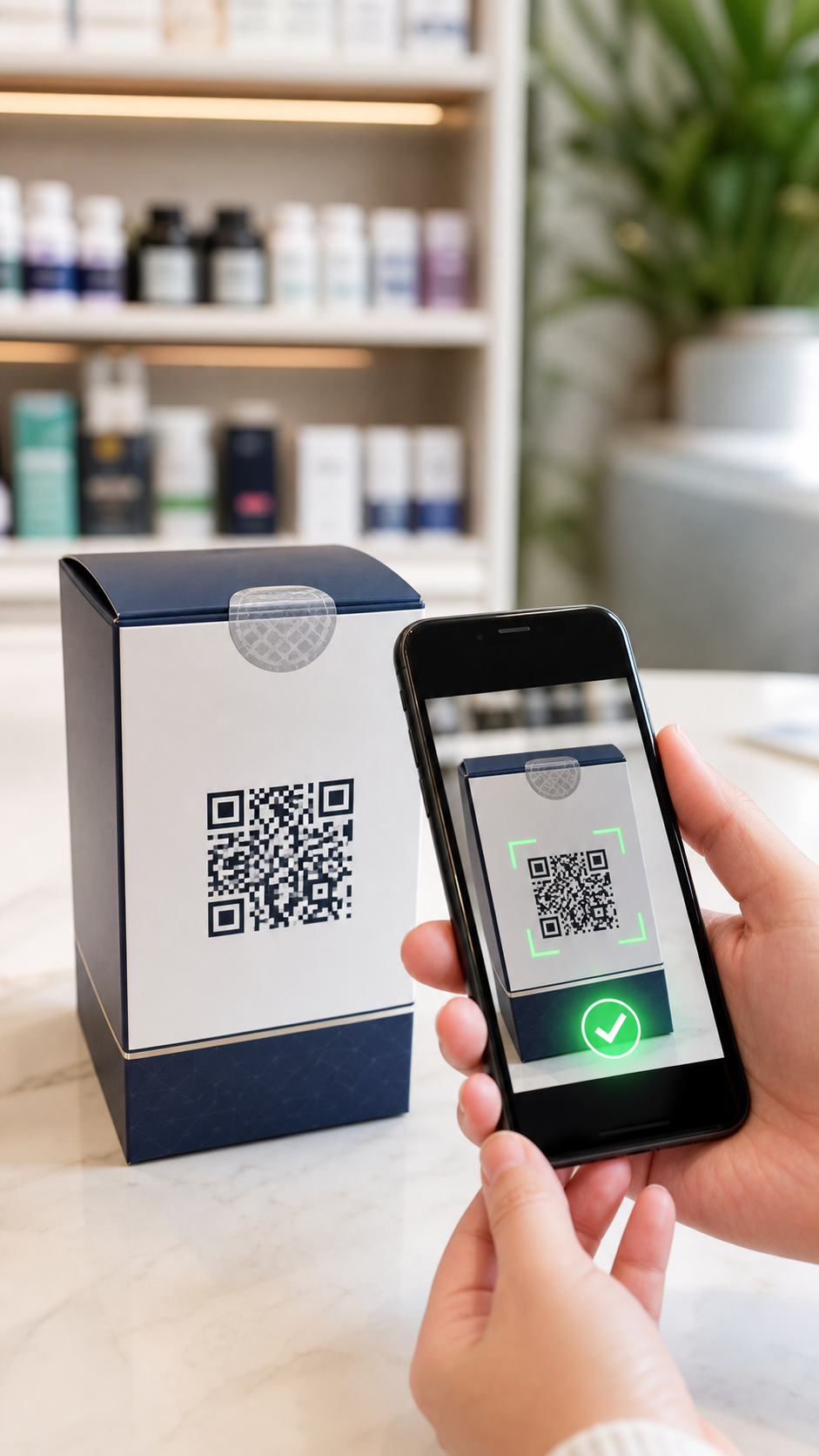
The first design objective is low friction. Customers can scan a code with a compatible phone camera and open the verification page in the browser, without requiring a dedicated consumer app. The page can present product identity, status, batch or expiry context and a clear next step. A visible first-party domain helps the user distinguish the legitimate result from a cloned landing page.
Results are more than a green check
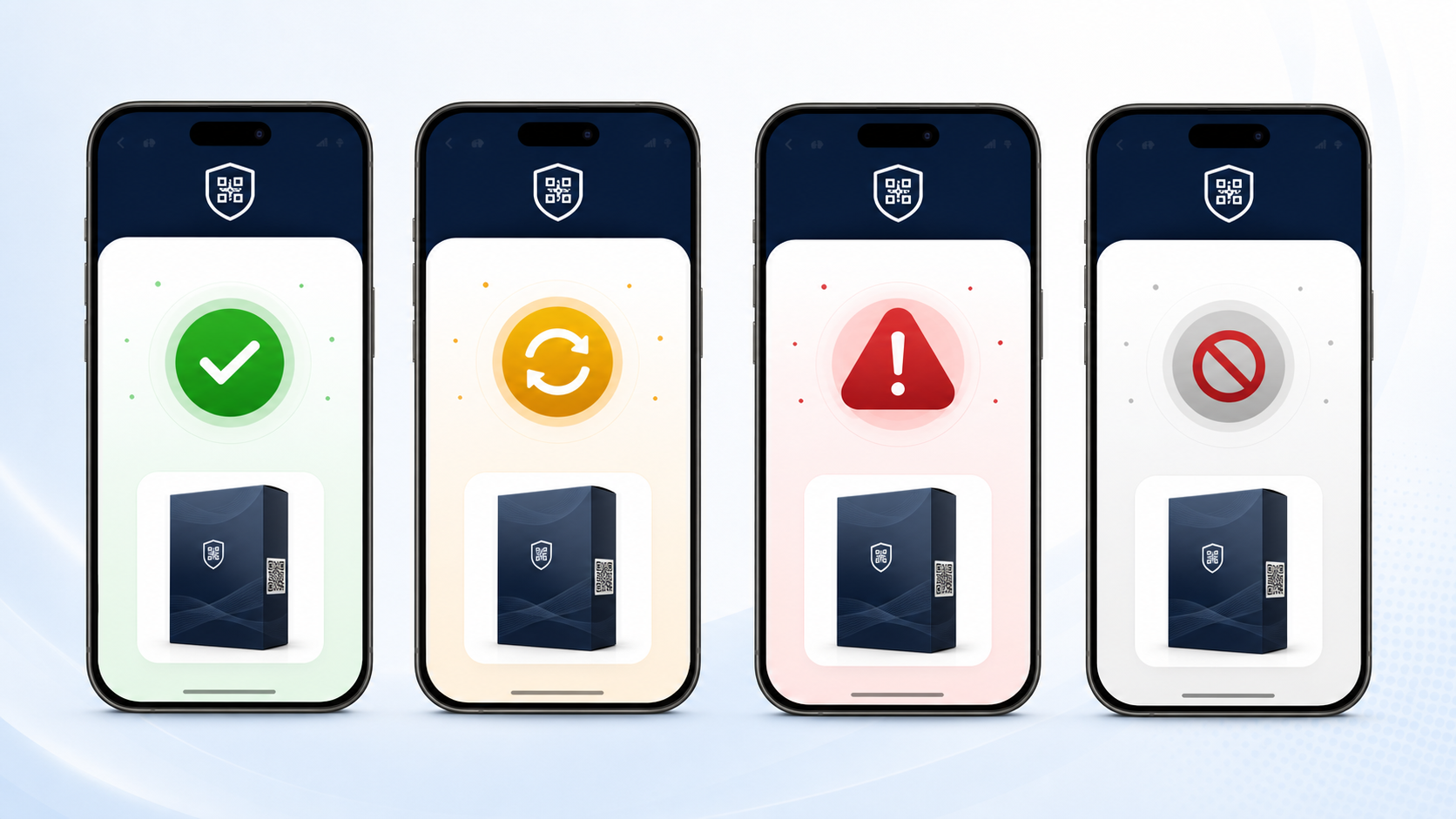
A responsible product-authentication interface needs multiple states. A genuine active record, repeated or unexpected behavior, a suspicious record and an invalid identifier should not all produce the same response. Status design should communicate what is known, what is uncertain and what the customer should do next.
Duplicate scans become an investigation signal
One copied identifier may appear in distant markets, accumulate scans faster than normal use would predict, or reappear after its expected lifecycle. A single repeated scan is not proof of counterfeiting—a customer may simply check twice—but clusters and impossible patterns deserve review. TrustQR’s duplicate scan detection turns scan history into a risk signal rather than making the unsafe claim that printed QR cannot be copied.
The dashboard closes the feedback loop
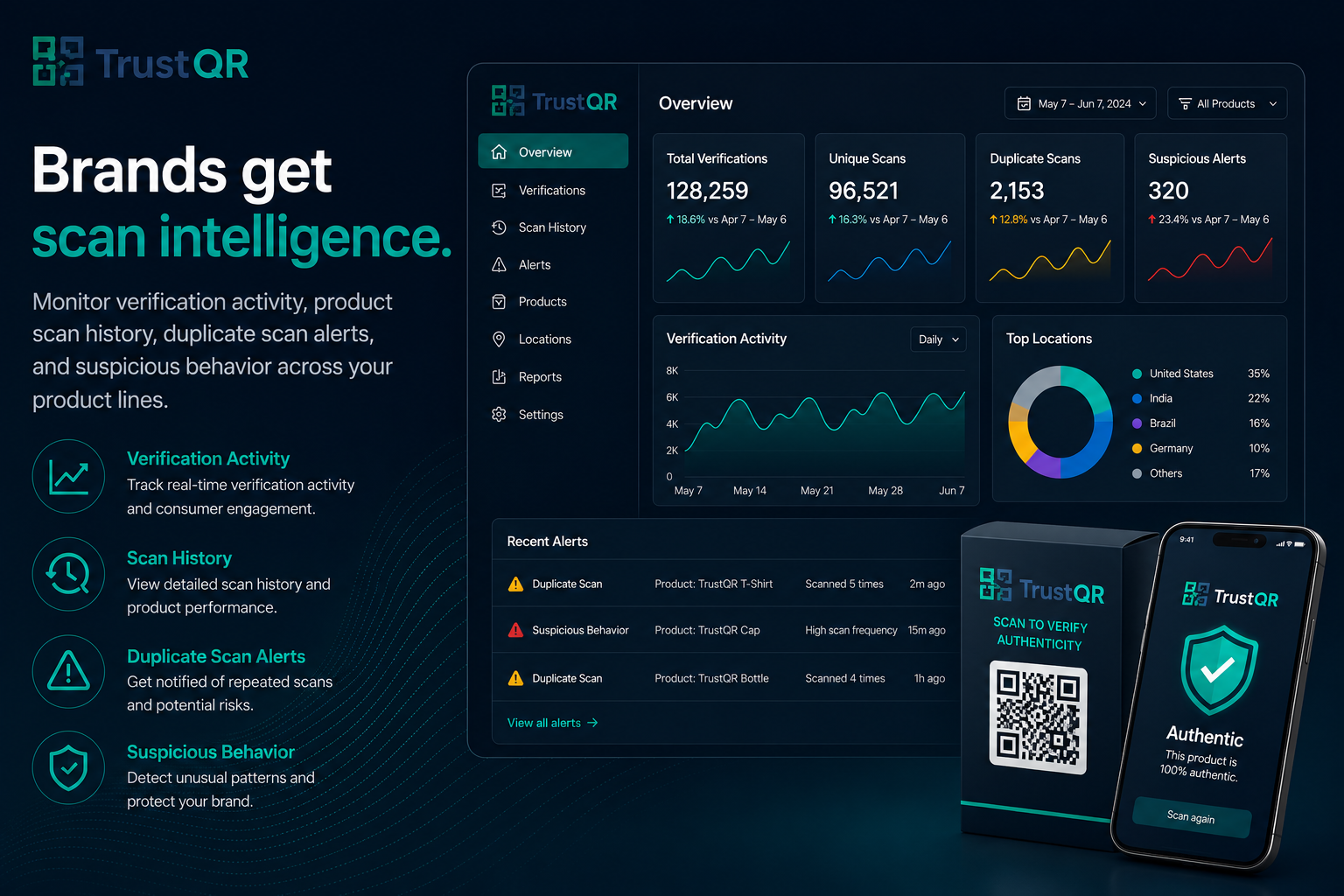
Consumer scans become useful to a brand only when teams can review products, history, alerts, locations and trends. The dashboard view links front-line verification to product operations and brand protection. Teams can compare expected distribution with observed scan activity and decide when to investigate, invalidate or reinforce a product line.
For implementation scope and commercial planning, see TrustQR pricing. High-risk, premium or regulated products may also combine QR with a stronger contactless layer rather than relying on print alone.
24. An implementation checklist for brands and manufacturers
Data and identity
- Decide whether identity is product-, batch-, label- or unit-specific.
- Keep the QR payload short and use a durable HTTPS domain controlled by the organization.
- Define activation, expiry, recall, replacement and decommissioning states.
- Avoid exposing sequential identifiers that can be enumerated without compensating controls.
- Separate the public lookup identifier from sensitive internal records.
Symbol engineering
- Select the smallest QR version that safely fits the payload and correction requirement.
- Reserve the full four-module quiet zone in packaging artwork.
- Use an integer module scale and crisp, non-interpolated edges.
- Maintain strong luminance contrast and avoid reflective placement.
- Keep logos away from fixed function patterns and verify every styled variant.
Production quality
- Test final printed samples rather than relying on screen previews.
- Include all production lines, printers, inks, substrates, coatings and finishing processes.
- Grade symbols using appropriate ISO verification methods and a documented acceptance threshold.
- Test after filling, sealing, chilling, bending, shrinking or transport where those processes affect the label.
- Maintain artwork version control so an old code template cannot silently return to production.
Phone and user experience
- Test representative iPhone and Android devices, including older and budget models.
- Test bright retail light, dim storage, glare, motion and realistic viewing distances.
- Display the final domain before asking for sensitive input.
- Make status language accessible, translatable and meaningful without color alone.
- Provide a readable fallback URL, customer support path or human-readable product identifier.
Security and operations
- Monitor duplicate scans, unexpected geography, abnormal velocity and invalid identifiers.
- Rate-limit hostile enumeration without blocking legitimate customers.
- Protect administrative accounts and code-generation workflows with strong access control.
- Define who reviews alerts and what evidence triggers escalation.
- Plan domain, resolver, database and vendor continuity for the full packaging lifetime.
- Publish a privacy notice appropriate to the scan data actually collected.
TrustQR can help teams translate this checklist into a working brand-protection program. A pilot should begin with a measurable product line, realistic threat model, production-quality labels and explicit success metrics—not only a generator demo.
25. Frequently asked questions about QR codes
Who invented the QR code and when?
Masahiro Hara and a DENSO development team created QR Code in Japan in 1994. The original goal was fast, high-capacity tracking of automotive parts and production processes.
When did QR code become an international standard?
QR Code became an AIM standard in 1997, a JEIDA standard in 1998, a Japanese Industrial Standard in 1999 and an ISO/IEC standard in June 2000. The current general symbology specification is ISO/IEC 18004:2024.
When did phone cameras start scanning QR codes?
There is no single camera-standard date because decoding is software layered on camera hardware. DENSO reports widespread Japanese public adoption from 2002 as reader-equipped phones appeared. Apple integrated recognition in the Camera experience with iOS 11 in 2017. Android support developed through manufacturer camera software, third-party apps, Google Lens and developer APIs rather than one universal release.
How much information can a QR code hold?
The largest standard Model 2 symbol can hold up to 7,089 numeric characters, 4,296 alphanumeric characters, 2,953 bytes or 1,817 Kanji characters under the most capacity-oriented conditions. More error correction and less efficient character modes reduce capacity.
Can a damaged QR code still work?
Often, yes. Reed–Solomon error correction can reconstruct a limited number of corrupted codewords. Approximate restoration levels range from 7% at L to 30% at H, but damage to finder patterns or severe optical distortion may stop the symbol before correction can help.
Is a QR code encrypted?
Normally, no. Standard QR payloads are readily decodable. Masking is for optical quality, not secrecy. An application can place encrypted or signed data inside a QR code, but the cryptographic scheme exists at the application layer.
Is a QR code itself anti-counterfeit?
No. Printed symbols can be copied. Product protection requires unique identifiers, backend validation, lifecycle status, duplicate-scan and anomaly analysis, investigation processes and sometimes stronger physical or contactless layers.
What is the difference between static and dynamic QR?
Static QR directly contains the final content. A dynamic system typically encodes a stable identifier or short URL whose server response can be changed while the printed modules remain the same.
What is the best error-correction level?
There is no universal best level. M is a common balance, while Q or H may help in harsher conditions. Higher correction increases overhead and can make modules smaller at a fixed physical size. The correct choice is the one that passes production verification and target-device testing.
Does a QR code require internet access?
Decoding the modules does not inherently require the internet. Plain text, contact or Wi-Fi payloads can be parsed locally. Opening a web destination or checking a live product record does require network access.
26. Technical glossary
- Binarization: converting image regions into likely dark and light values for decoding.
- Codeword: an eight-bit unit used in QR data and error-correction processing.
- ECI: Extended Channel Interpretation, a mechanism for specifying character-set or other interpretation information.
- Finder pattern: one of the three large corner targets used to locate and orient a standard QR symbol.
- Mask: one of eight reversible patterns applied to payload modules to improve visual properties.
- Module: the smallest square element in the logical QR grid.
- Quiet zone: the required clear margin around a symbol; four modules for standard QR Code.
- Reed–Solomon: the error-correcting code used to create and recover parity-protected codewords.
- Resolver: a service that receives a persistent identifier or URI and returns or redirects to context-appropriate information.
- Version: the size class of a QR symbol; Model 2 Versions 1–40 range from 21 to 177 modules per side.
27. Primary standards and official references
The following sources were selected because they are maintained by the QR Code developer, international standards bodies, platform vendors or relevant standards organizations. Access dates and product documentation can change; implementation teams should confirm the current edition before procurement or compliance work.
- DENSO WAVE — QR Code history: invention, industrial origin and the 2002 expansion through mobile phones.
- DENSO WAVE — QR Code standardization: AIM, JEIDA, JIS and ISO milestones.
- ISO — ISO/IEC 18004:2024: current QR Code symbology specification catalogue record.
- DENSO WAVE — QR Code versions: Version 1–40 dimensions and capacity references.
- DENSO WAVE — Error correction: Reed–Solomon background and L/M/Q/H restoration levels.
- DENSO WAVE — QR Code implementation guidance: module and four-module quiet-zone guidance.
- DENSO WAVE — QR Code types: Model 1, Model 2, Micro QR, rMQR, SQRC and FrameQR overview.
- ISO — ISO/IEC 15415:2024: two-dimensional symbol print-quality test specification.
- ISO — ISO/IEC 16480:2015: reading and display quality for mobile-phone use of two-dimensional symbols.
- ISO — ISO/IEC 23941:2022: rectangular Micro QR, or rMQR, symbology specification.
- Apple Developer — QR Code Recognition on iOS 11: Apple’s native Camera-recognition milestone.
- Apple Support — Scan a QR code with iPhone: current Camera and Code Scanner instructions.
- Google for Developers — ML Kit barcode scanning on Android: current QR scanning API and input-image guidance.
- Google for Developers — Google Code Scanner: delegated Android scanner behavior and requirements.
- GS1 — GS1 Digital Link: web-compatible GS1 identifier standard.
- EMVCo — QR Codes: interoperable consumer- and merchant-presented payment QR specifications.
From a square symbol to a trustworthy system
QR Code succeeded because it solved several problems at once: fast localization, orientation independence, compact data storage, standardized encoding and useful recovery from damage. Its three finder patterns made it recognizable; its module grid made it printable; international standardization made it interoperable; software-defined camera scanning made it accessible at enormous scale.
But the QR code remains a carrier. Trust begins only when the carrier is connected to durable identity, trustworthy content, controlled infrastructure and clear user decisions. For a poster, that may mean a stable first-party link. For a payment, it means a verified payee and authorized transaction. For a physical product, it means a live record, meaningful status, duplicate-scan intelligence and a response process behind every scan.
That distinction—between a code that can be read and a product that can be verified—is the foundation of effective QR engineering and modern product authentication. To see the operational process, continue with how TrustQR works, compare QR verification features, or contact TrustQR to plan a production pilot.